Twinkeep feature guide
Stability: what crashed, and what was running
Stability reads the crash and hang reports macOS already writes, explains them in plain English, and can optionally record a local CPU and memory history so you have evidence about what was happening before a freeze.
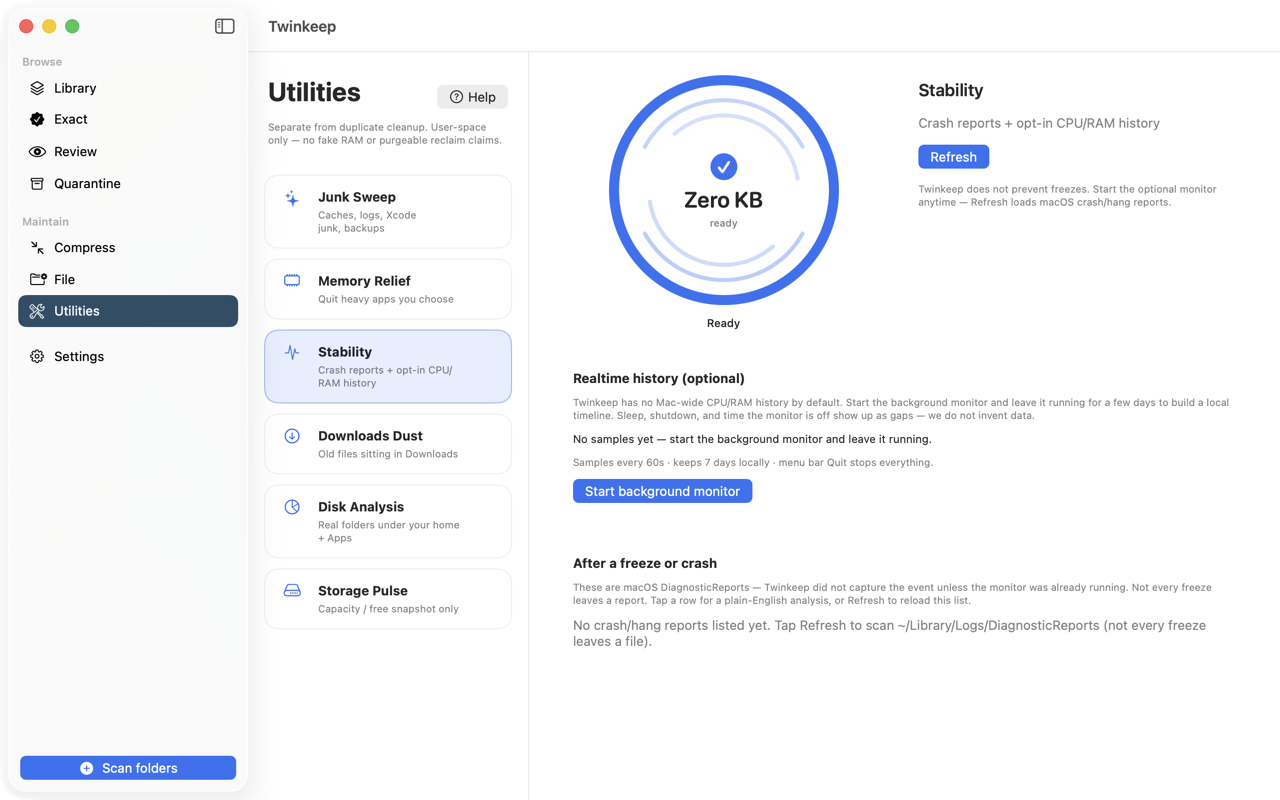
What it's for
When a Mac freezes or an app disappears, macOS writes a diagnostic report. They are genuinely useful and almost nobody reads them, because they are dense text files buried in a Library folder.
Stability surfaces them. Which app, what kind of failure, when, and what it means — without pretending to be more than a reader of reports your Mac already produced.
The optional monitor is the other half. Crash reports tell you what died; they do not tell you what was eating the CPU for the ten minutes beforehand. If you turn the monitor on, Twinkeep records that locally so you have something to look at afterwards.
How to use it
-
Open Utilities and choose Stability
Twinkeep reads the DiagnosticReports folder macOS writes to. On the App Store build it asks for access first, since the sandbox cannot read Library without permission.
-
Read the recent reports
The last 30 days of crash, hang, spin and ips reports, newest first, showing the app and the failure type. Twinkeep summarises the exception and the top frames in plain language instead of leaving you with a stack trace.
-
Turn on the monitor, if you want history
Off by default. Enabled, it samples every minute: top processes by CPU and memory, free memory, and thermal state. Everything stays on your Mac.
-
Leave it running for a few days
A monitor that started this morning cannot tell you about last Tuesday. Coverage is shown honestly, including gaps for sleep, shutdown, or time it was switched off.
-
Check what was running before a freeze
After an incident, look at the sample nearest the time: which processes were hot, how much memory was free, whether the Mac was thermally stressed.
Twinkeep does not prevent crashes
No third-party app can. Stability is a reader and a recorder. Its value is evidence — knowing that one app accounts for eleven of your last twelve crashes is genuinely actionable.
Gaps are shown, not hidden
Coverage reports recorded time, wall-clock time, and the difference. Sleep, shutdown and time the monitor was off appear as gaps. Twinkeep does not interpolate data it does not have.
Seven days, local only
Samples are kept for seven days on a rolling window and stored on your Mac. Nothing is uploaded, and there is no account. Old samples are pruned automatically.
Your crash reports are protected
Junk Sweep will never offer DiagnosticReports or CrashReporter as cleanable, because these are the reports this tool depends on.
Common questions
Why does my Mac keep freezing?
Stability cannot diagnose it for you, but it gives you the evidence: which app crashed or hung, how often, and with the monitor on, what was consuming CPU and memory beforehand. A pattern across several reports usually points at one culprit.
Where does macOS store crash reports?
In ~/Library/Logs/DiagnosticReports. Twinkeep reads that folder, covering .crash, .hang, .spin and .ips files from the last 30 days.
Does the monitor slow my Mac down?
It samples once a minute and appends a line to a local file. The cost is negligible, and it is off unless you turn it on.
Is any of this sent anywhere?
No. Crash reports are read from your own disk and monitor samples are written to your own disk. Twinkeep has no account, no telemetry, and no network component for this feature.
Try it on your own files
Twinkeep is a one-time $9.99 purchase — no subscription, no account, and nothing leaves your Mac. Requires macOS 13+.