PrecisDesk feature guide
Switcher: jump to a window, not to an app
Command-Tab switches apps. When you have nine windows open across three of them, that is not the question you are asking. The Switcher shows every window as a live preview, grouped by app, with search — and you can set up to nine shortcuts, each showing a different set of windows.
What it's for
The macOS app switcher takes you to an app. If that app has six windows open, you have arrived somewhere near the thing you wanted and now you are hunting.
The PrecisDesk Switcher works at the window level. Every open window appears as a thumbnail captured the moment you open it, so you are picking from what is actually there rather than from a row of identical icons. Windows stay grouped under their app, so quick switching lands on the right one instead of scattering them through the list.
How to use it
-
Open it
Press ⌥⇥. The shortcut is yours to change in Settings.
-
Find the window
Every window is a live preview. Start typing to filter by title or app when there are too many to scan.
-
Keep an app's windows together
Grouping keeps each app's windows next to each other, so a fast switch lands on the window you meant rather than one three apps away.
-
Act on a window from the tile
Window controls on the tiles let you close or tidy a window without switching to it first. Middle-click closes a preview.
-
Set up more shortcuts
You can define up to nine Switcher shortcuts, each showing a different set of windows — one for everything, one for the current app, one for the current display.
What you can configure
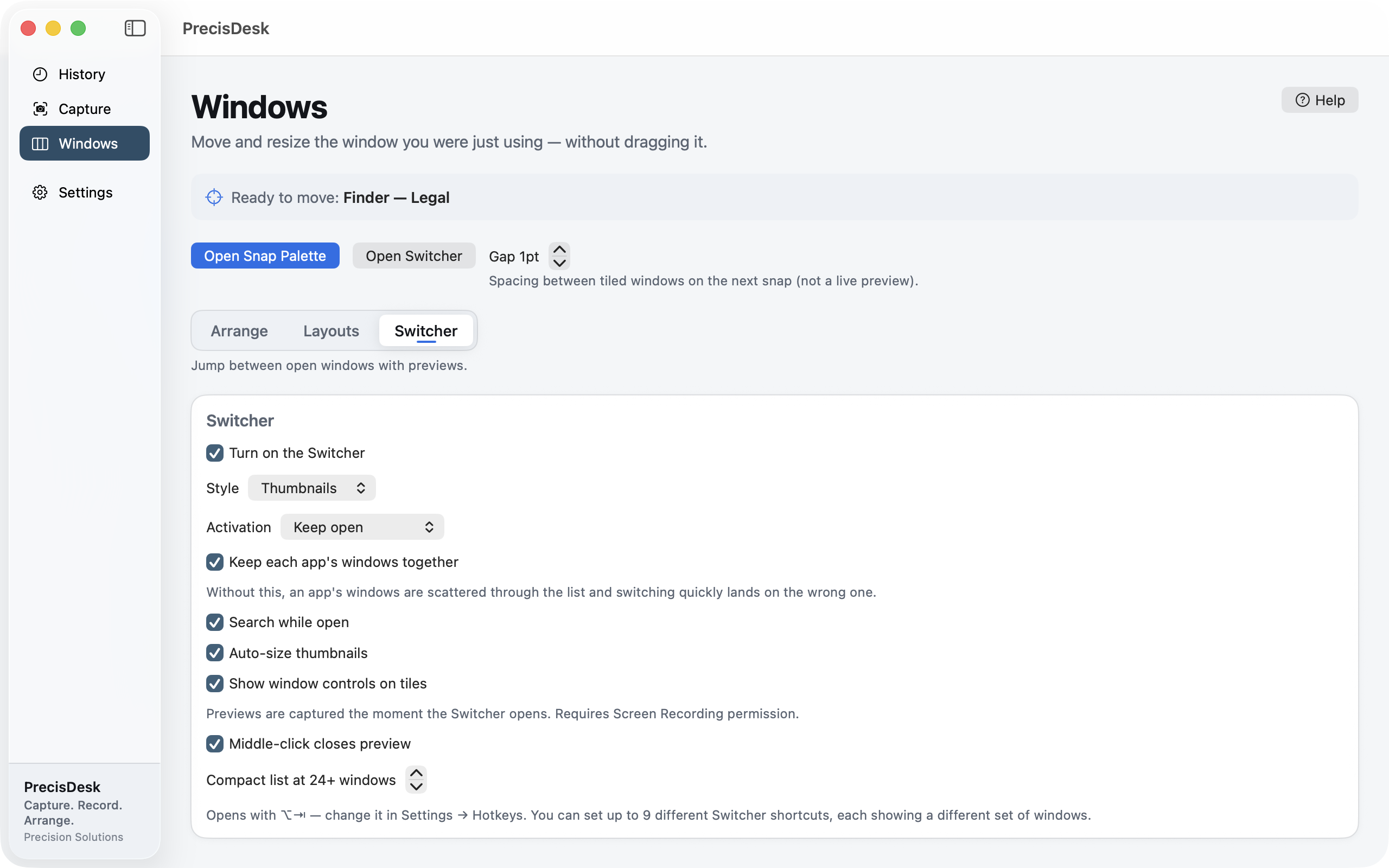
- Thumbnails or a compact list, with an automatic switch when there are a lot of windows
- Keep an app's windows grouped together
- Search while it is open
- Auto-sized thumbnails
- Window controls on the tiles, and middle-click to close
- Up to nine shortcuts, each with its own set of windows
Permissions
Previews are captured when the Switcher opens, which needs the Screen Recording permission. Without it the Switcher still lists your windows — it just cannot show you pictures of them.
Common questions
How is this different from Command-Tab?
Command-Tab switches applications. This switches windows, with a picture of each one, which is the question you are actually asking when an app has six windows open.
Can I have more than one Switcher shortcut?
Yes, up to nine, each showing a different set of windows.
Why does it want Screen Recording permission?
To show a picture of each window. Decline it and the Switcher still works as a list of window titles.
Try it on your own files
PrecisDesk is a one-time $9.99 purchase — no subscription, no account, and nothing leaves your Mac. Requires macOS 14+.