PrecisDesk feature guide
History: every capture you have made, in one list
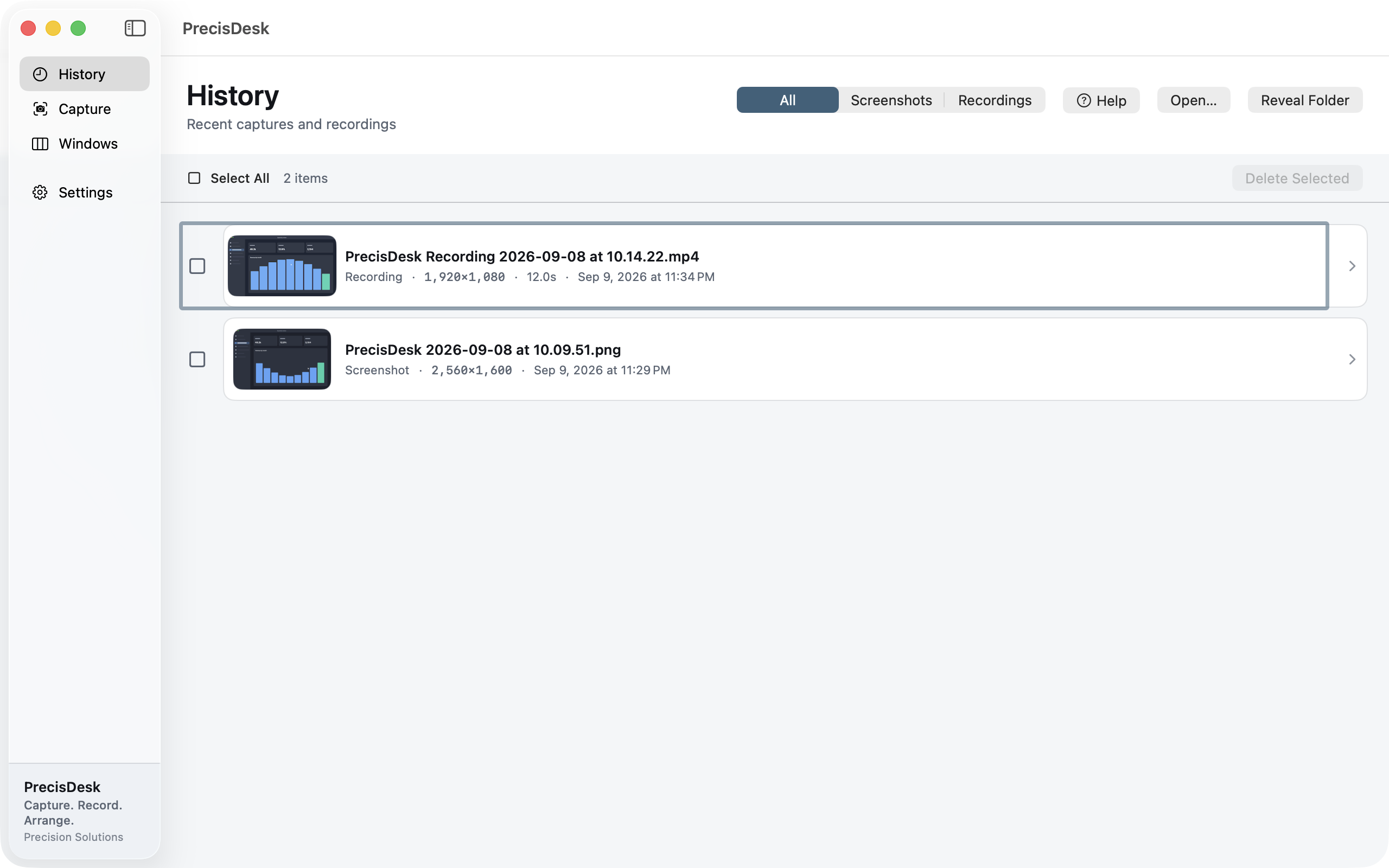
Screenshots and recordings in one list with thumbnails, filterable by type. Reopen anything in the editor, reveal it in Finder, or select a batch and delete it. Set a retention period and old captures clear themselves.
What it's for
The reason people lose screenshots is that a screenshot is a file, and files go to a folder, and the folder fills up. Six weeks later you know you took the shot and you have no idea what it was called.
PrecisDesk keeps an index. Every capture is a row with a thumbnail, its size, and when you took it, filterable down to just stills or just recordings. Open one straight back into the editor, or select a run of them and clear them out at once. The index lives on your Mac; nothing about your captures is uploaded anywhere.
How to use it
-
Open History
It is the first item in the sidebar, and where the app opens by default.
-
Narrow it down
Filter to All, Screenshots or Recordings.
-
Pick up where you left off
Click any row to reopen it — screenshots in the image editor, recordings in the clip editor with your trims still in place.
-
Clear a batch
Select All or tick individual rows and delete the lot. Deleting from History removes the files too.
-
Let it clean up after itself
Set a retention period in Settings and captures older than that are cleared automatically.
What each row shows
- A thumbnail of the capture
- Screenshot or recording, with pixel dimensions
- Duration for recordings
- When it was taken
Housekeeping
- Retention period you set, applied automatically
- Bulk selection and delete
- Reveal the underlying file in Finder at any time
- Rows whose files you deleted elsewhere are dropped from the index
Common questions
Is my capture history uploaded anywhere?
No. The index is a local file on your Mac, and so are the captures. PrecisDesk has no account system and no servers.
Does deleting from History delete the file?
Yes. Removing a capture from History removes the file it points at.
Can I make it clear old captures automatically?
Yes. Set a retention period in Settings and anything older is cleared for you.
Try it on your own files
PrecisDesk is a one-time $9.99 purchase — no subscription, no account, and nothing leaves your Mac. Requires macOS 14+.