PrecisDesk feature guide
Captions: generated on your Mac, edited by you
Turn the words in your recording into captions using on-device speech recognition — no upload, no account, no per-minute fee. Fix the wording, retime any line, and either burn them into the exported video or save a separate .srt.
What it's for
Captions are the difference between a walkthrough people watch and one they scroll past — most video is watched muted. But captioning tools usually mean uploading your recording to somebody's server and paying per minute.
PrecisDesk uses Apple's on-device Speech framework. The audio never leaves your Mac. You get a set of timed cues you can edit like text, and you choose whether they end up burned into the picture or in a sidecar .srt for platforms that prefer their own renderer.
How to use it
-
Generate them
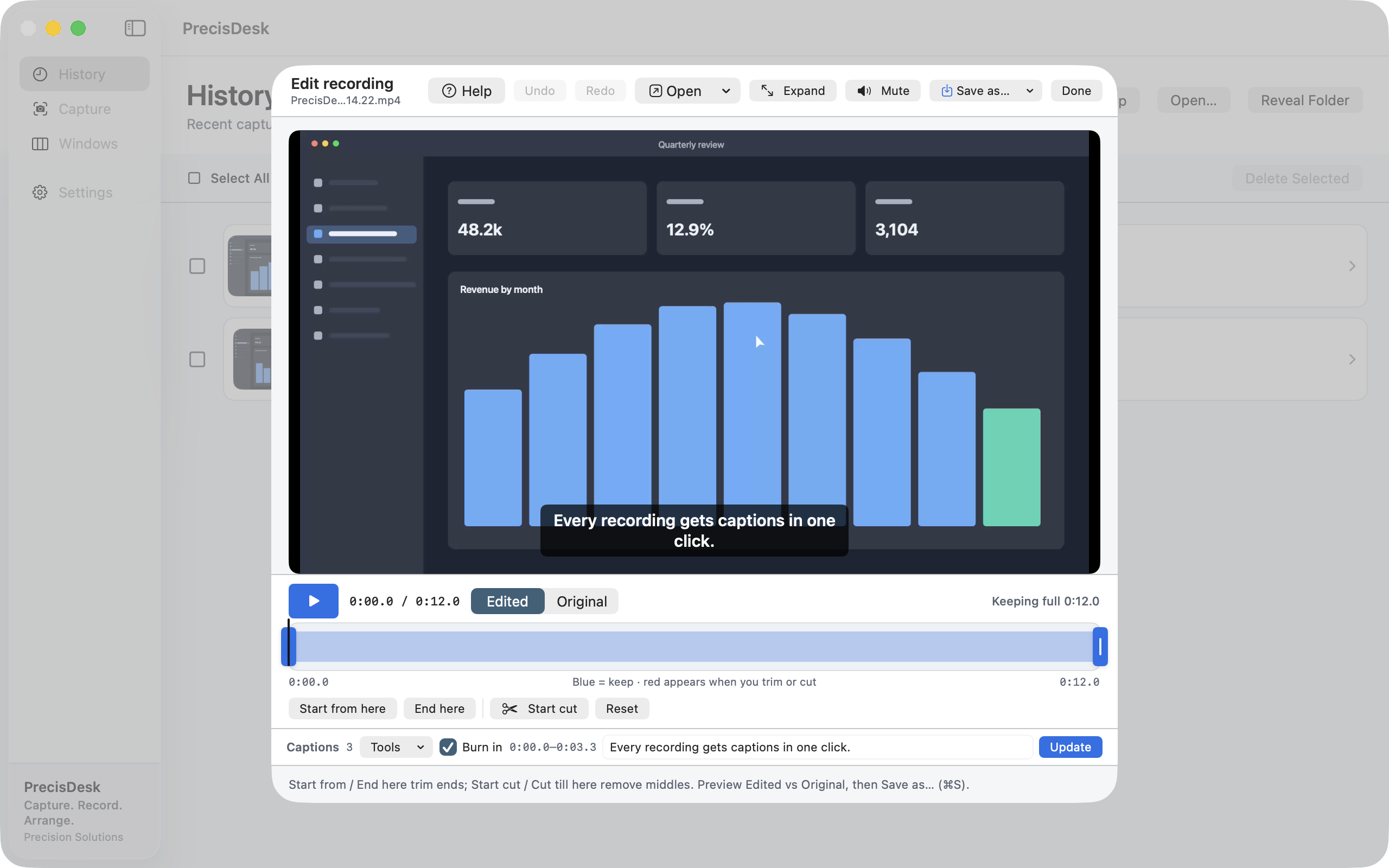
Open a recording in the editor and use the captions Tools menu to generate captions from the audio. Recognition runs on your Mac.
-
Read them back
The caption under the playhead appears in the preview and in the caption field, so you scrub and read at the same time.
-
Fix the wording
Names and jargon are where every recogniser struggles. Edit the text of the cue under the playhead and update it.
-
Add or retime a line
Park the playhead and add a caption where recognition missed one, or adjust an existing cue's timing.
-
Burn in, or export .srt
Leave Burn in on and the captions become part of the exported video. Turn it off and export the cues as a standalone
.srtfile instead.
How it works
- Apple's Speech framework, running on your Mac
- Nothing is uploaded, and no account or subscription is involved
- Requires the Speech Recognition permission, which macOS asks for the first time you use it
What you can do with the cues
- Edit the text of any cue
- Add cues by hand where recognition missed something
- Import and export SubRip
.srt - Burn them into the exported MP4, or keep them separate
Common questions
Is the audio uploaded anywhere?
No. Recognition uses Apple's on-device Speech framework. The audio stays on your Mac.
Can I export captions as a separate file?
Yes — cues export as SubRip <code>.srt</code>, which YouTube, Vimeo and most players accept.
What if it mishears a word?
Edit it. Every cue is editable text, and you can add cues that recognition missed or retime the ones it got.
Try it on your own files
PrecisDesk is a one-time $9.99 purchase — no subscription, no account, and nothing leaves your Mac. Requires macOS 14+.