PrecisDesk feature guide
Annotate: arrows, redaction, and text you can copy out of a picture
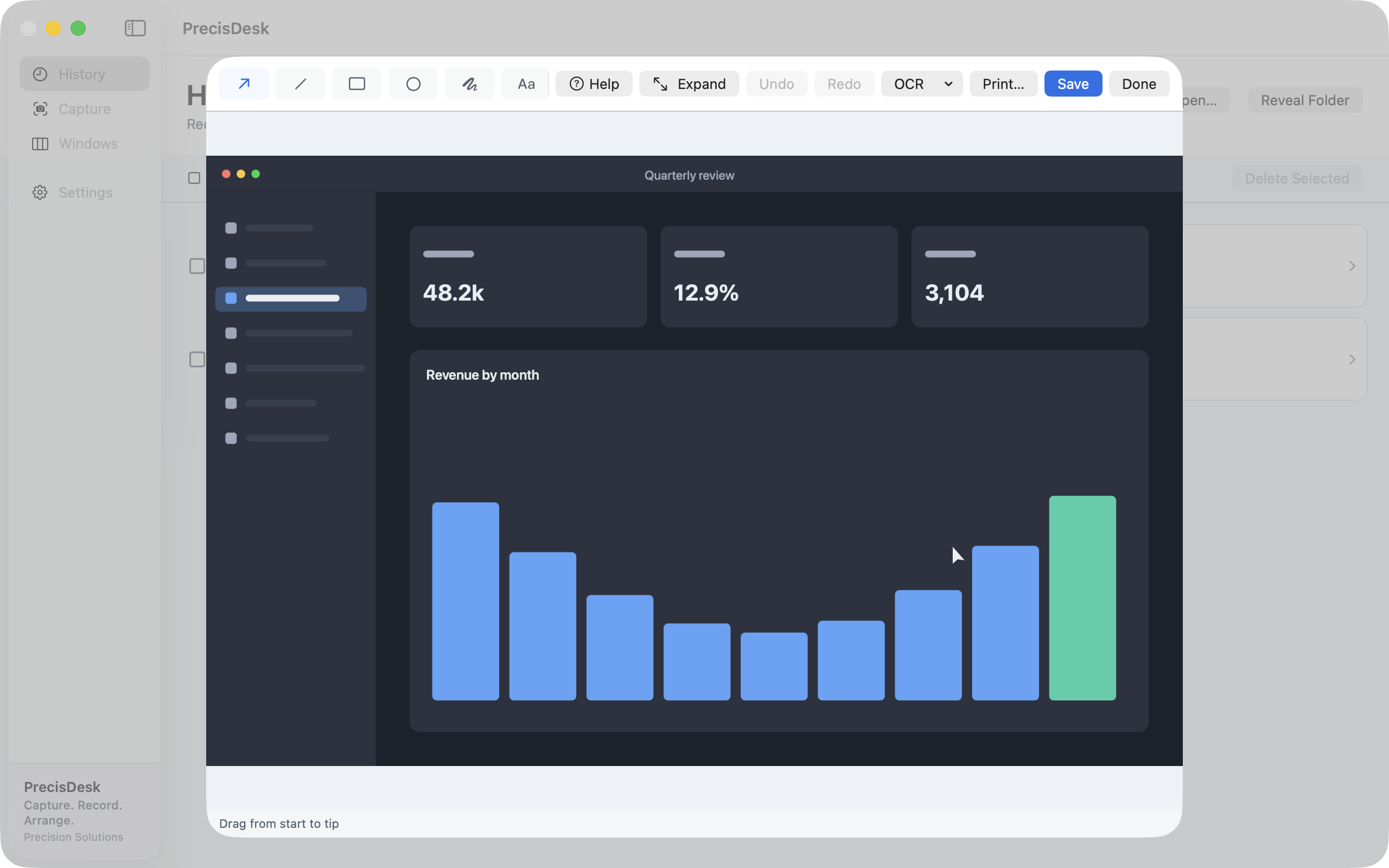
Mark up a capture with arrows, boxes, freehand and text. Blur or pixelate anything that should not be shared. Then pull the text straight out of the image with on-device OCR, or lift an exact colour with the picker.
What it's for
A screenshot is rarely finished when you take it. It needs an arrow pointing at the thing you are talking about, and it usually needs somebody's email address blurred out before it goes into a ticket.
PrecisDesk opens straight into an editor with both. Annotation is non-destructive — projects save separately from the exported PNG, so you can come back and move the arrow tomorrow. Redaction is real: blur and pixelate rewrite the pixels on export, they are not a black box drawn on top that somebody can drag away.
How to use it
-
Open a capture in the editor
Annotate from the Quick Access overlay right after a capture, or from History later.
-
Point at something
Arrow, line, rectangle, ellipse and freehand pencil, in a colour you pick. Step counters number a sequence for you.
-
Hide what should not be shared
Blur and Pixelate over any region, and Spotlight to dim everything except the part that matters.
-
Add words
Text and highlighter for callouts and emphasis.
-
Take something out of the image
OCR copies the text out of the picture using on-device recognition, and the colour picker reads any pixel as hex or RGB.
Tools
- Crop, arrow, line, rectangle, filled rectangle, ellipse
- Freehand pencil, text, highlighter
- Step counters for numbered sequences
- Spotlight, blur and pixelate for redaction
- Colour picker in hex or RGB
- OCR over the whole image or a selected area
Non-destructive
Annotations are kept as a project alongside the image, so you can reopen a marked-up capture and move, restyle or remove anything. Export writes a flat PNG with the redaction applied for real.
Common questions
Is blurring safe to share?
Yes. Blur and pixelate are applied to the exported image, not drawn as an overlay that could be removed. What comes out has the pixels rewritten.
Can I edit an annotation after saving?
Yes. The annotation project is kept alongside the image, so you can reopen it and change anything.
Does OCR send my screenshot anywhere?
No. Text recognition uses Apple's Vision framework on your Mac.
Try it on your own files
PrecisDesk is a one-time $9.99 purchase — no subscription, no account, and nothing leaves your Mac. Requires macOS 14+.