
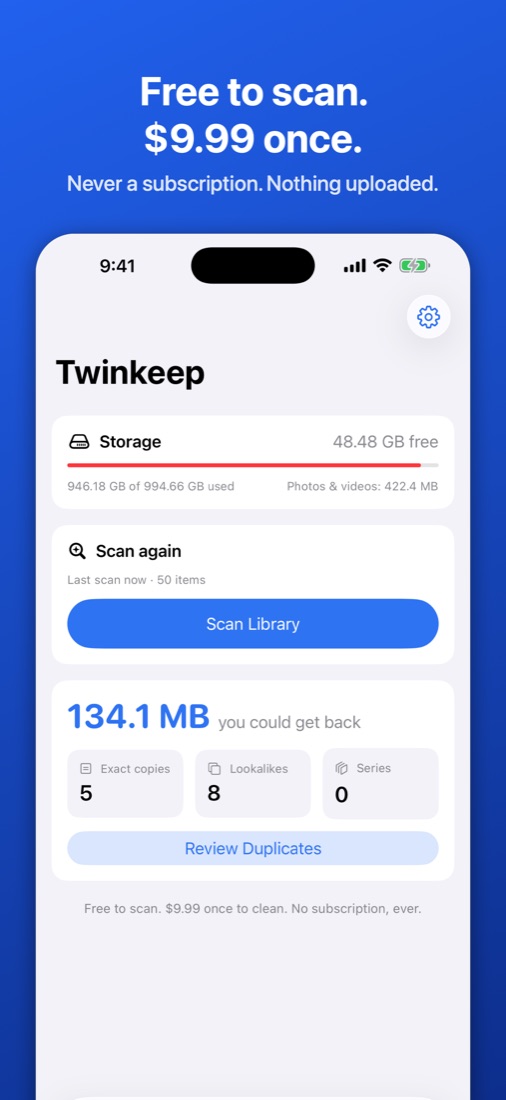
The same shot saved four times — once from the camera, once from a chat, twice from an edit. Twinkeep finds the duplicates in your photo library, shows you exactly what it found, and lets you decide. Scanning is free. Cleaning is $9.99, once.
Find every duplicate
- Exact copies — the same file saved more than once, found by content whatever it’s called
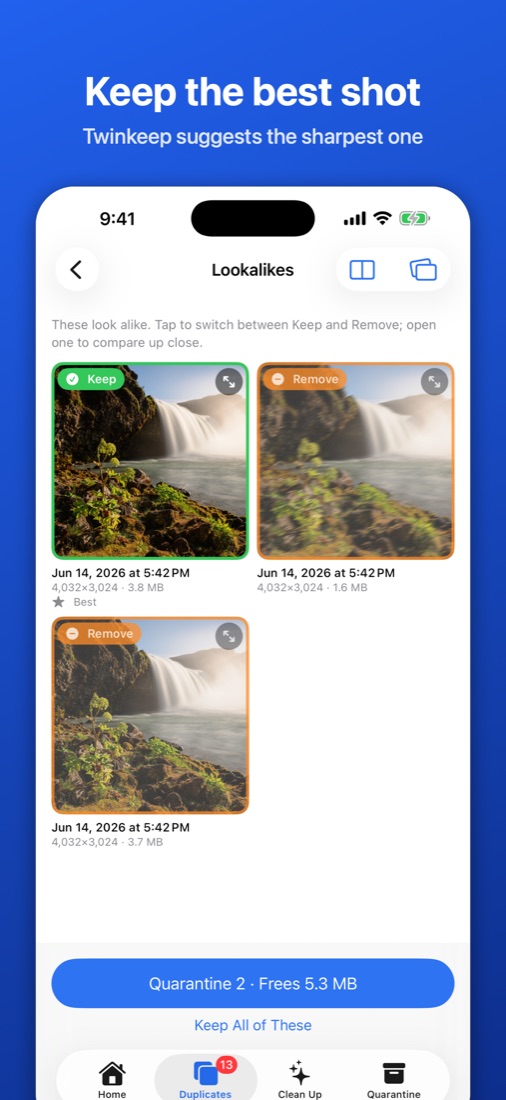
- Lookalikes — re-saved, re-sized and edited copies of the same picture
- Series — bursts and quick retakes, with the sharpest shot suggested
- Compare two photos side by side and zoom both together, or swipe through a group
Get real space back
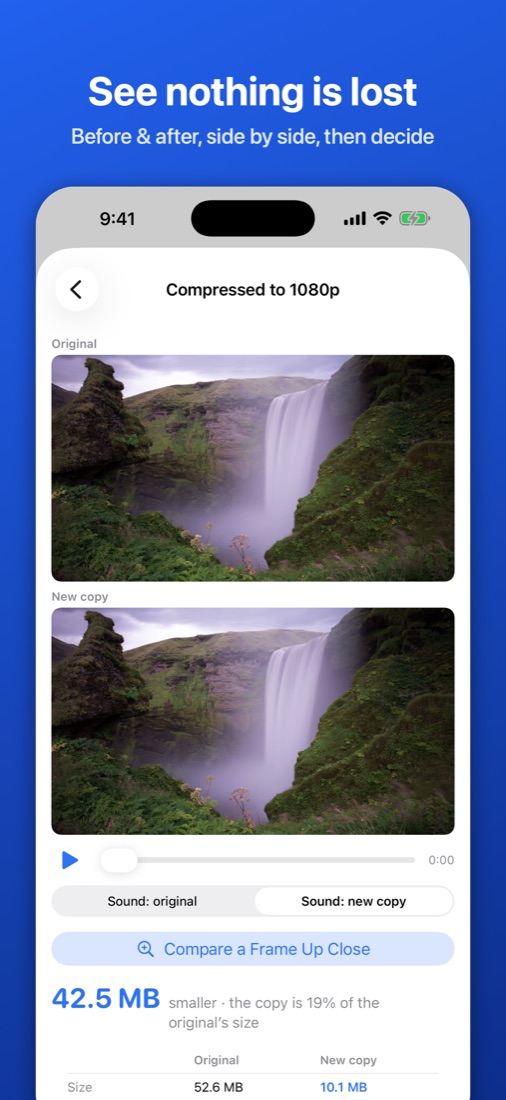
- Large videos — shrink 4K clips to 1080p, 720p or 480p
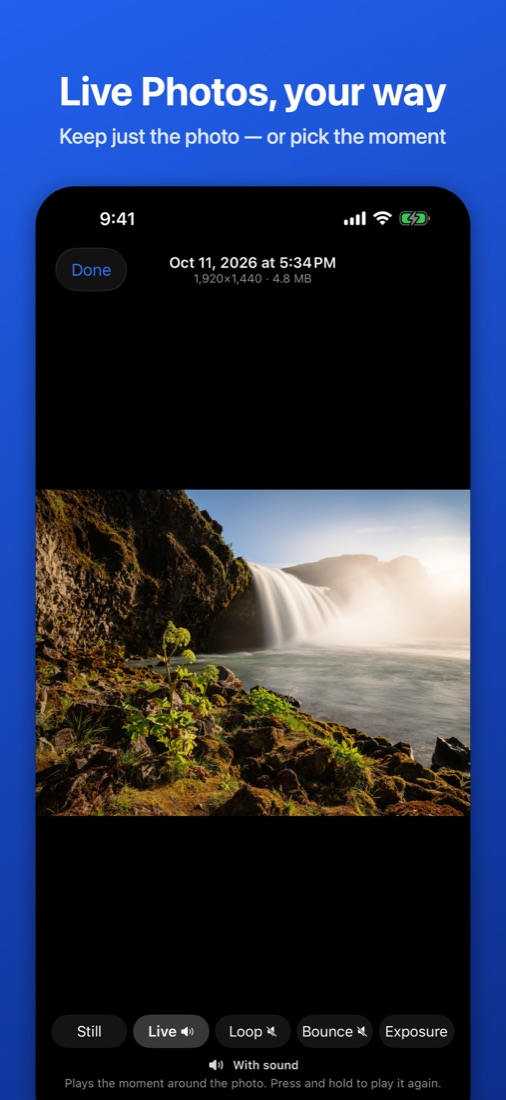
- Live Photos — keep just the photo, or pick a different moment as the photo
- Screenshots — clear old ones by month
- Possibly blurry — find shaky and pocket shots
- Before & after — play the original and the smaller copy together before deciding
Nothing disappears behind your back
Removed items go to a Twinkeep Quarantine album first, so you can restore anything. When you empty it, iOS asks you to confirm, and Recently Deleted keeps everything for another 30 days.
Private by design
Everything happens on your iPhone or iPad. No account, no upload, no tracking, no ads. Read the privacy policy.
Requirements
- iPhone or iPad with iOS / iPadOS 17 or later
- Family Sharing: one purchase covers your family
On a Mac?
Twinkeep for Mac is a separate app, on the Mac App Store or direct with a free trial via Gumroad.