Flipside app icon Flipside for iPhone and Android

Jump shots and group photos, with nobody behind the camera

Prop your iPhone on a rock, step back, and jump. Flipside talks you into the frame, counts you down, and keeps the moment you were highest in the air. Everyone in the photo. Nobody left out holding the phone.

Free · no account · no ads Coming soon to the App Store Get it on Google Play

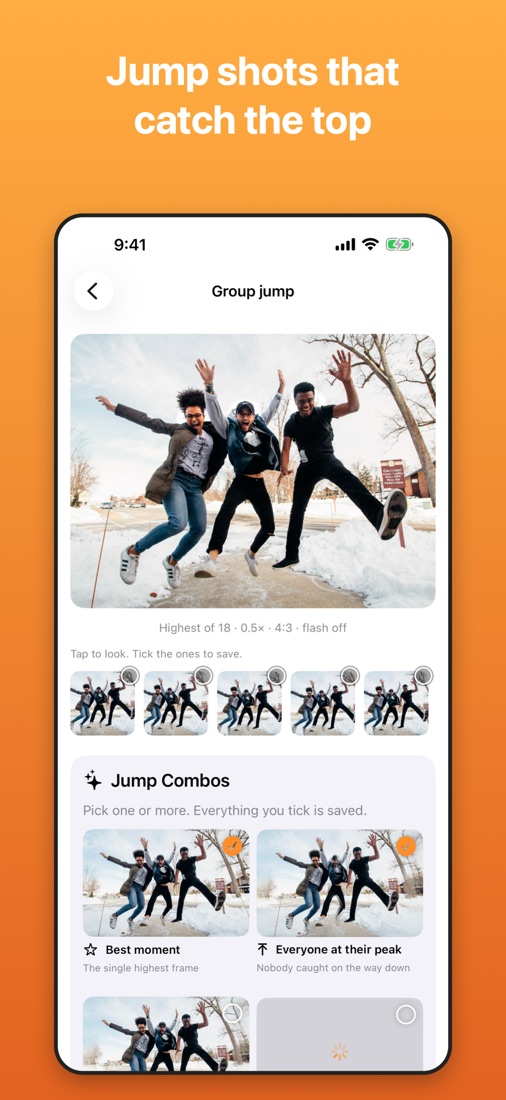
Flipside’s Group jump result: three friends caught at the top of the jump in the snow, with Jump Combos below: Best moment and Everyone at their peak

You made it to the top. There’s nobody around.

Ever been out hiking on your own, reached the summit, and wanted that photo: arms out, feet off the ground, the whole valley behind you? You set the timer, run, jump too early, walk back, check, and do it all again. A jump lasts about half a second. A self-timer is a guess.

Or you’re out with friends at the end of a great day, and you want one picture with everyone in it. Somebody always ends up holding the phone, or you all squeeze into an arm’s-length selfie and someone gets cut off at the edge.

Flipside walks you through it. Lean the phone on anything, and it does the rest.

How to take a jump shot by yourself

  1. Choose Solo jump and lean your iPhone on a rock, a backpack or a small tripod, back camera facing you.
  2. Walk back. Flipside talks you into the frame in your own left and right, and counts your steps: “3 steps left”, “2 steps closer”. Then “Good.”
  3. Get ready. “Jump in 10 seconds… 3, 2, 1, Jump!” No running back to the phone. Prefer a cue? Raise your palm or say “cheese”, and it counts 3, 2, 1, Jump! from there.
  4. Jump. Flipside grabs 18 frames from the live camera across the whole jump, take-off to landing, and picks the one where you’re highest.
  5. Go again. “Again! Even higher!” “Now a star jump!” “Now a silly jump!”

Every frame is kept for you to look through, so if you like the one on the way up better, tick it and save that too.
Group jump: everyone at the top, in one photo

The hard part of a group jump photo isn’t getting everyone to jump. It’s that nobody hits the top at the same moment, so in every single frame somebody is still on the way up or already coming down. Flipside fixes that. After one jump, pick any of these Jump Combos, all made from the same burst:

  • Best momentThe single highest frame.
  • Everyone at their peakEach person taken from their own highest frame and put into one photo. Nobody caught on the way down.
  • Motion sequenceTake-off to landing in one picture, every stage of the jump laid over the same background.
  • Jump loopA short video of the jump that plays back and forth, ready to post.

Group jump uses the ultra-wide lens, sideways, so the whole group and the view fit. Before “Jump!” it counts heads out loud, “Got all 5 of you.”, so nobody finds out later they were out of the frame. Solo jumps get Jump Combos too: the motion sequence and the loop are made for them.

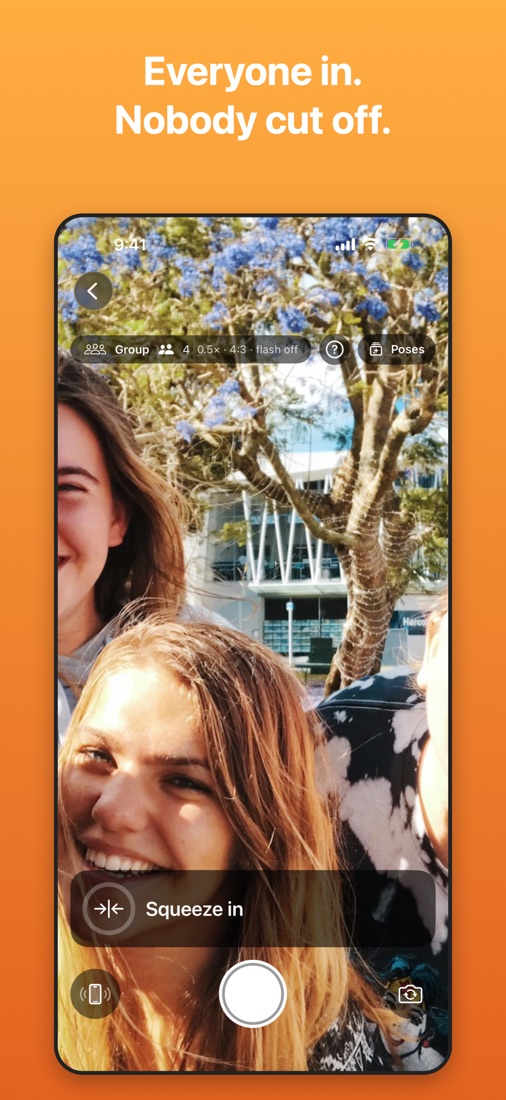
Flipside coaching a group photo: it counts 4 people and says “Squeeze in” so nobody is cut off

A group photo with everyone in it

The person who takes the group photo is never in it. With Flipside, nobody has to be. Prop the phone up, choose Group, and step in with everyone else.

  • “I see 5 of you.” It counts out loud as people join, so you know everyone’s in.
  • “Squeeze in”, “Check behind. Step back.”: short directions until nobody’s cut off at the edge.
  • A 3, 5 or 10 second timer once you’re lined up, with the last five counted out loud.
  • A quick burst every time. Flipside suggests the one with everyone’s eyes open, and if someone blinked it can swap in their open eyes from another frame.

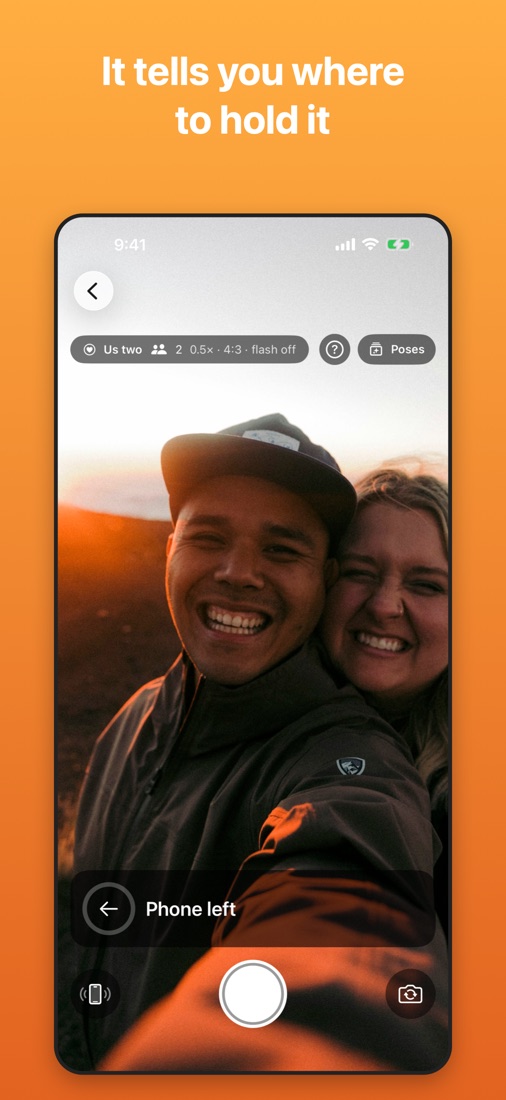
Holding it at arm’s length instead? Flipside coaches that too: “Phone left”, “Phone closer”.

A couple’s selfie with the back camera, Flipside saying “Phone left”

Selfies with your iPhone’s best camera

The camera on the back of your iPhone is the good one: a bigger sensor, an ultra-wide lens and a real flash. Flipside lets you take selfies with it. You can’t see the screen with the phone turned around, so it talks you into the shot and takes the photo when it’s right.

  • Phone in your hand: “Phone left”, “Phone up”, “Phone closer”
  • Phone on a stand: “Step left”, “Step back”
  • “Good.” the moment you’ve got it, so you know to stop moving
  • Soft ticks that speed up as you get closer, like a parking sensor

Prefer no directions? Choose Just snap: Flipside counts 3, 2, 1, takes a few photos and suggests the best one.

Pick the shot, Flipside does the rest

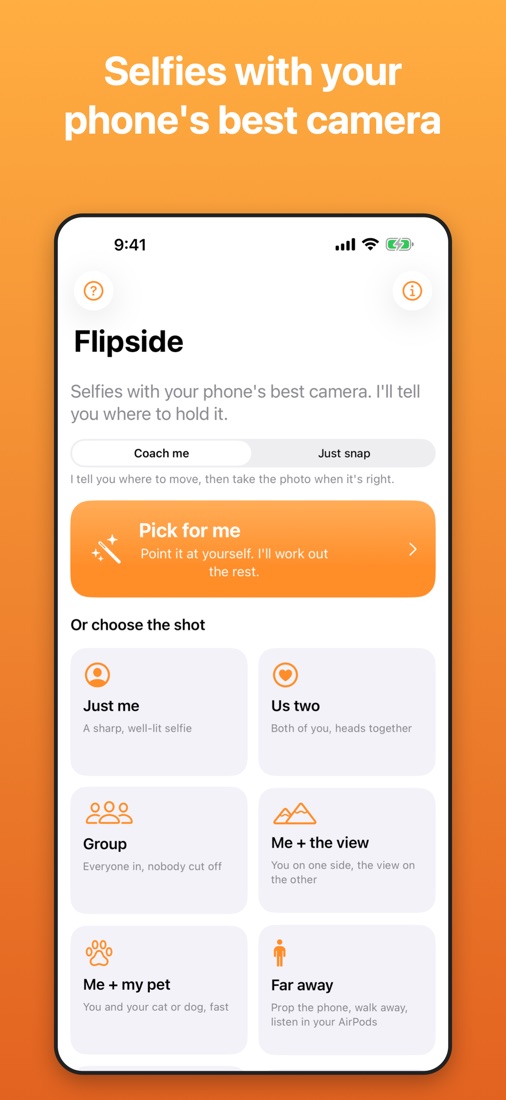
  • Just me, Us two, Group, Me + the view, Me + my pet, Far away, Solo jump, Group jump
  • Or Pick for me: it sees who’s in front of it and chooses
  • Lens, sideways or upright, flash or soft light, how many frames: chosen for you
  • Far away: prop the phone up, walk back, and it counts your steps in your AirPods

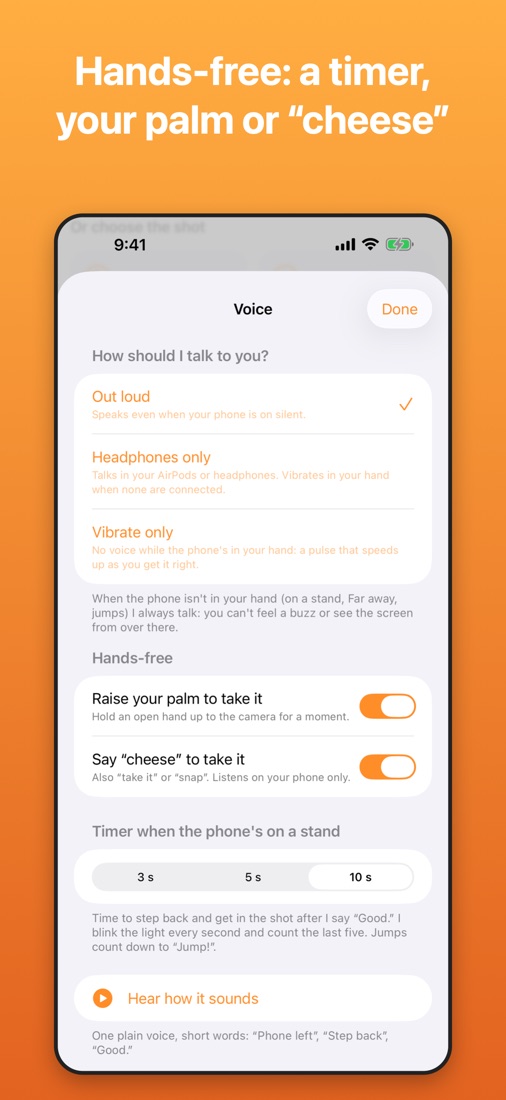
Hands-free

  • On a stand, a self-timer gives you time to get in the shot (3, 5 or 10 seconds)
  • Raise your palm, or say “cheese” (recognised on your iPhone, nothing recorded)
  • Either volume button takes the photo
  • On a stand it always talks out loud, even on silent: you can’t see the screen from over there

After the shot

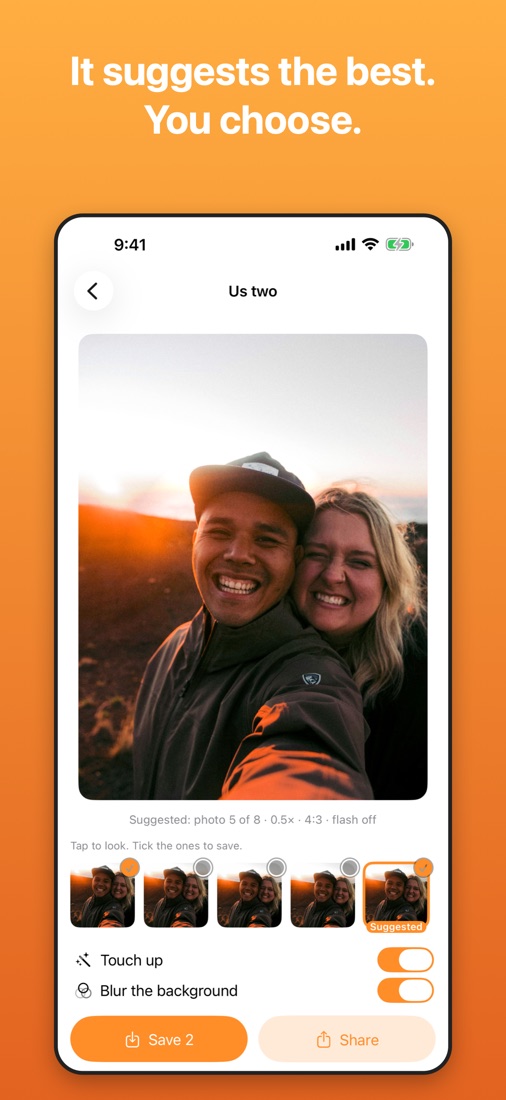
  • Flipside suggests the best frame; tick as many as you like to keep
  • Touch-ups, background blur, Live Photos, night shots on a stand
  • Sizes for posting, framed around the people: square, 4:5, 9:16 and round
Flipside home screen: Pick for me, or choose Just me, Us two, Group, Me + the view, Me + my pet, Far away, Solo jump or Group jumpAfter the shot: Flipside suggests photo 5 of 8, with touch up and background blur switchesVoice and hands-free settings: out loud, headphones only or vibrate; raise your palm or say “cheese”; a 3, 5 or 10 second stand timer

Private by design

Everything happens on your iPhone. No account, no uploads, no tracking, no ads. Flipside never asks for your location, and the photos it saves or shares carry no location data. Read the privacy policy.

Requirements

  • iPhone with iOS 18 or later
  • Android phone with Android 10 or later, from Google Play

Pricing

Free, with every feature.

Questions

What is a jump shot?

A jump shot (or jumping photo) is a picture of someone caught in mid-air at the top of a jump. Travellers love them on summits, beaches and road trips. The portrait photographer Philippe Halsman made them famous and called it “jumpology”.

How do I take a jump shot of myself when I’m alone?

Open Flipside, choose Solo jump and lean your iPhone against a rock, a bag or a tripod with the back camera facing you. Walk back until it says “Good.”, then it counts “Jump in 10 seconds… 3, 2, 1, Jump!”, catches 18 frames of the jump and keeps the highest one.

How do I get everyone in the air at the same time in a group jump photo?

You don’t have to. Nobody peaks at exactly the same moment, so Flipside’s Everyone at their peak takes each person from their own highest frame and puts them in one photo. Nobody gets caught on the way down.

How do I take a group photo with everyone in it when there’s nobody to take it?

Prop your iPhone up, choose Group and step into the shot. Flipside counts heads out loud (“I see 5 of you”) and tells you to squeeze in or step back until everyone fits, then gives you a self-timer to get ready.

Do I need a tripod?

No. Anything that holds the phone still works: a rock, a fence post, a backpack, a car roof. A small phone tripod makes it easier to get the height right.

Is Flipside on Android?

Yes. Flipside for Android is free on Google Play, for phones running Android 10 or later. It has the same voice coaching, jump shots and group photos. Live Photos are iPhone only, and “say cheese” needs Android 13 or later.

Is Flipside free?

Yes. Every feature is free, with no account, no ads and no in-app purchases.

You’re in charge: Flipside can’t see what’s behind you. Look before you step back, and pick somewhere safe to jump.

Support · Privacy Policy (iPhone) · Privacy Policy (Android)